Local coding agent with VS Code
Overview
When working on personal projects on VS Code, I found myself needing a coding agent. There are paid alternatives like Codex or Claude you can try, but I wanted to see what free alternatives exist since I already have Ollama running.
How We Used AI
Install the Continue extension in VS Code. This extension can then talk to ollama running on localdev and you can use it all you want. You would first need some additional models like a chat model to talk to ollama and a coding assistant model like Qwen. Continue will provide you the necessary prompts for these.
Here is a simple rust program with an error:
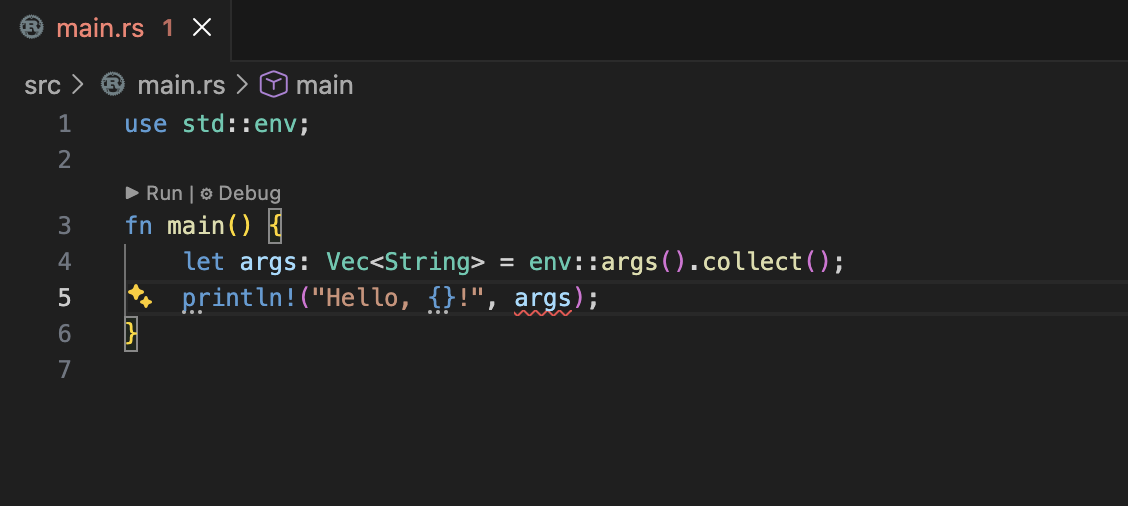
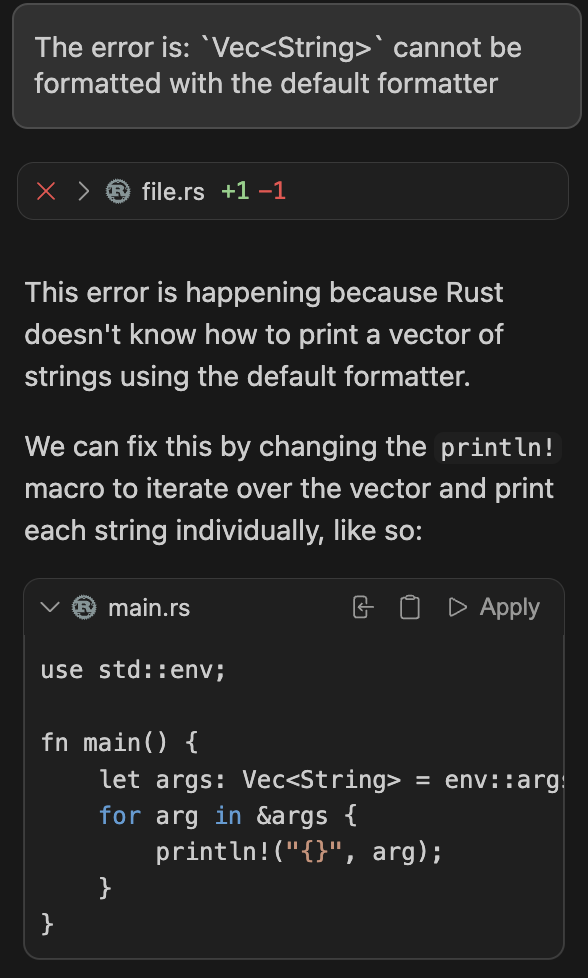
Here is a prompt I gave Continue to fix this error and the corresponding suggestion from the model:
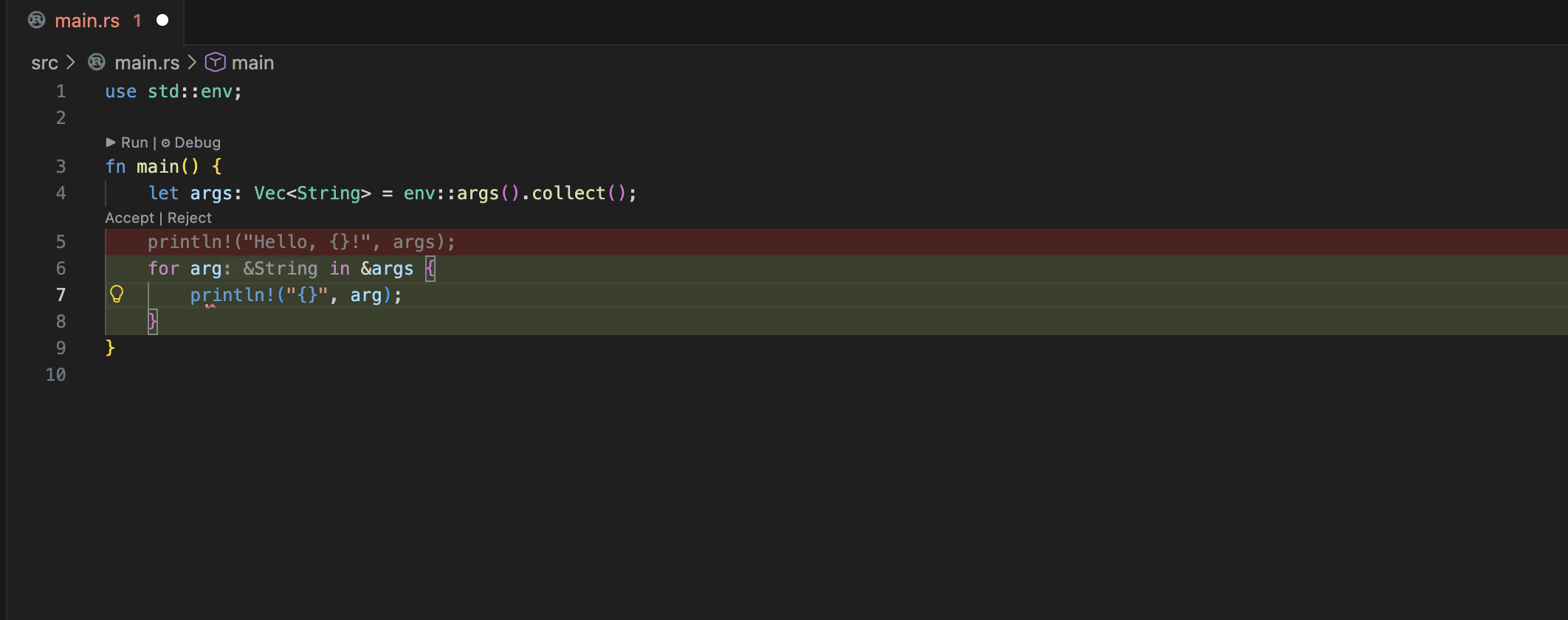
After applying the suggestion, we get a clean running program:

Key Takeaways
- Getting a local agent running without havign to worry about tokens or their cost is very convenient
- The paid models would probably be better, but for personal projects, this cost / convenience tradeoff is fine
- Everything is running on localdev, so you can work on it even while offline !