Watching the Tools Claude Executes
Overview
When using Claude Code, it has available to it a number of tools it can use. From the terminal, just ask claude what tools it knows about:
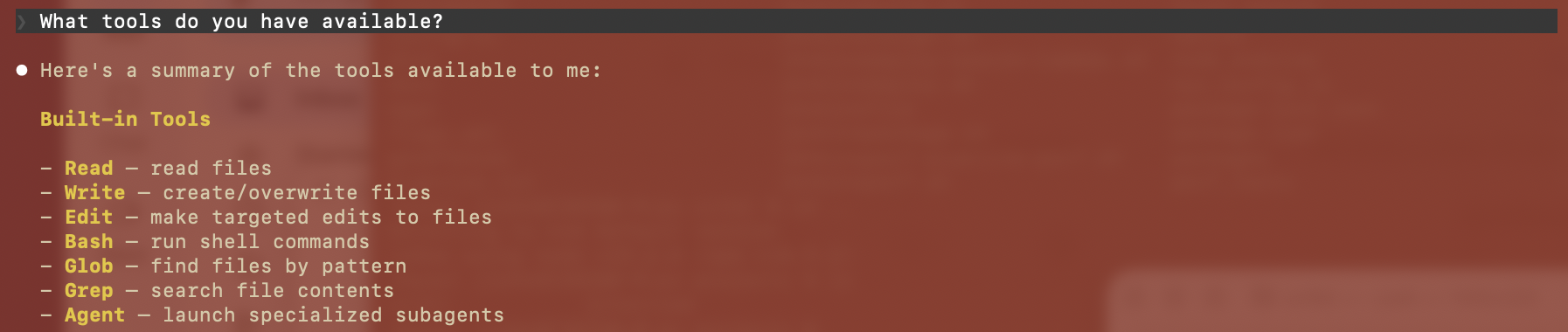
However, these tools are not executed by Claude LLM. When you issue Claude Code a prompt, that prompt is forwarded to the Claude LLM. It then responds with what tools it would like to be executed. Claude Code executes the tool request and sends the response back to Claude. Claude finally responds with the final result.
But what are these tool requests being sent back by Claude ? It would be useful to see what they are.
You can do this via hooks
How to use hooks
Hooks are of two types, PreToolUse and PostToolUse. The former is executed before the tool is used and the latter after it has been used. You could easily use a PreToolUse hook to trap the tool call and print it out to the console.
In order to do that: update the ~/.clause/settings.json file (or a local variant in your repo directory) and add the following:
    "hooks": {
        "PreToolUse": [
        {
            "hooks": [
            {
                "type": "command",
                "command": "jq '{systemMessage: (\"Tool call: \" + .tool_name + \" \" + (.tool_input | tostring))}'"
            }
            ]
        }
        ]
    }
To test the above, I issued a simple prompt to Claude Code like How many characters are there in my CLAUDE.md file?
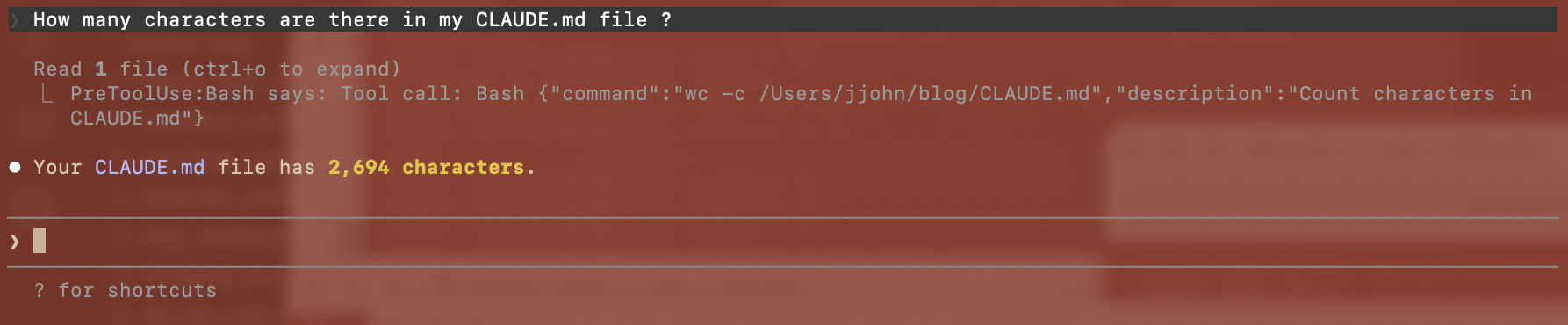
As you can see, Claude responded with a request to run the Bash tool and execute the wc command. This tool was executed on my localhost and the results sent back to Claude.
Watching which tool commands are executing can give you valuable insights as to how Claude is going about your prompt.